
AI images were the easy part.
Generating an image with AI is a solved problem. Every tool does it. The harder problem is that 90% of those images are visual filler: pretty, irrelevant, and contributing nothing to what the page is actually trying to communicate. A photo at the top of a blog post doesn't help anyone do anything.
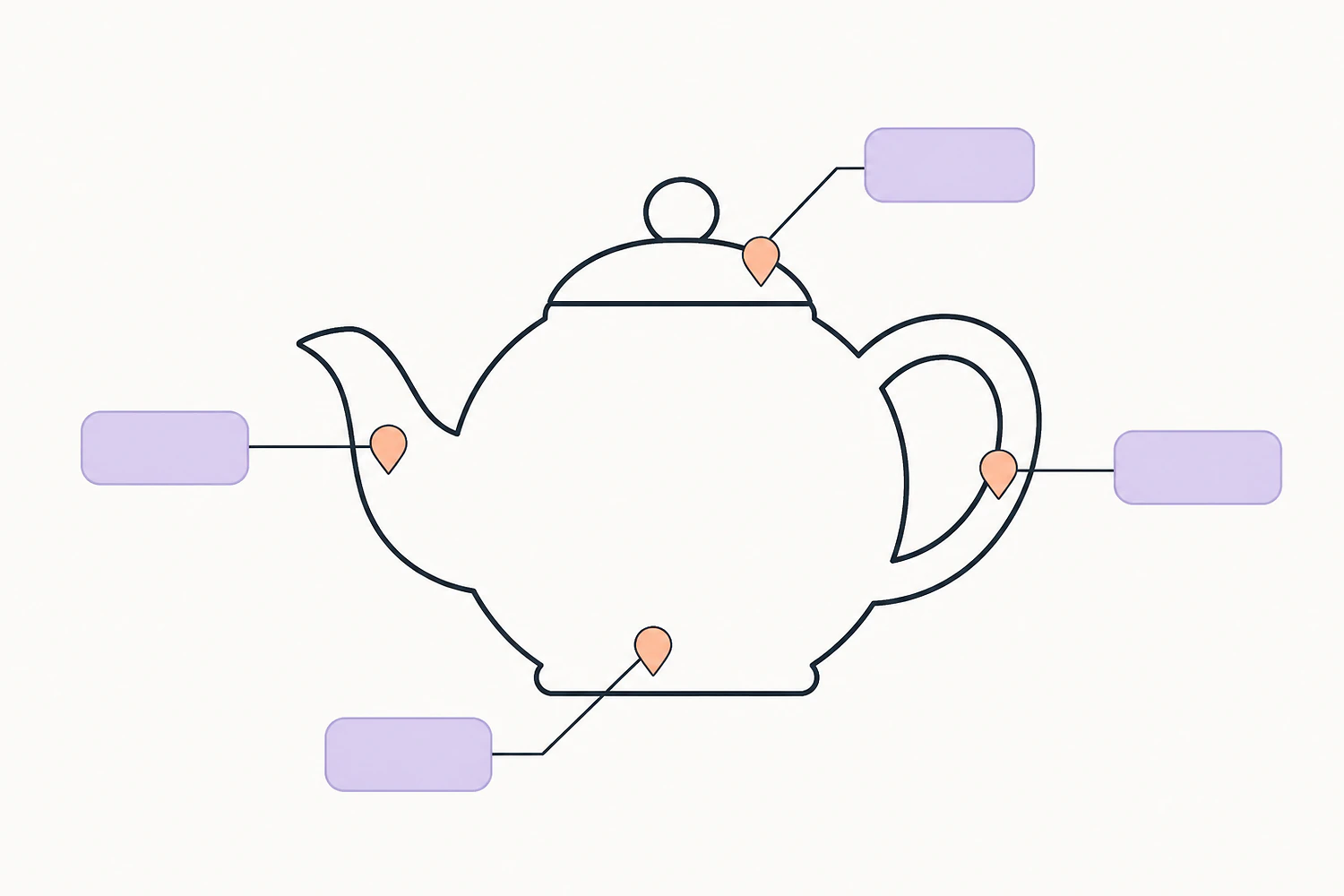
Pinpic was built around the observation that an image becomes useful the moment it carries information. A diagram of a product with labeled parts. A map with markers you can click. A walkthrough where each step is a pin on the screenshot. That's an image doing work. That's what Pinpic generates.
Two halves, one workflow.
Pinpic is two tools in one: an image generator and an interactivity layer. They were built together because they're meant to be used together.
Generate from a prompt
Describe what you need, get a usable image in seconds. The generation engine is tuned for the kind of clean, semi-illustrated style that actually works on a real website: not the over-rendered hyperreal style that screams "I was made by AI."
Add interactivity
Drop pins on any image. Each pin can be a tooltip, a link, a popover, or a small inline panel of HTML. Hover, click, mobile-tap: all handled. The same interactive overlay works on photos you uploaded, not just AI-generated ones.
Live in the editor
Insert a Pinpic image like any other block in Devani. No iframe wrangling, no copy-paste embed code, no third-party script tags to maintain.
SEO-friendly
The image still renders as a real image with real alt text. The interactive layer is progressive enhancement: search engines and screen readers see the underlying content, not a black box.
The cases this actually unlocks.
It's worth being concrete. These are the situations where Pinpic does something a stock image and a normal CMS can't.
- Product walkthroughs. An exploded diagram of your product with each part as a clickable pin. Click "rubber gasket" → tooltip explains what it is and what it does.
- Interactive maps. Show your service area, your office locations, your travel itinerary. Each pin opens a card with details, photos, or links.
- Recipes & how-tos. One image showing the finished dish with pins for each ingredient, each numbered step popping out on click.
- Real estate. A floor plan with each room as a hotspot. Click the kitchen → see photos of the kitchen, dimensions, finishes.
- Comparison pages. Two side-by-side images with pins highlighting the differences. Works for products, before/after, design alternatives.
- Visual blog posts. A single anchor image that contains the whole story, with each pin expanding to a paragraph of detail.
Free tier with Devani.
Pinpic comes with a free tier when you're using it through Devani: enough generations and interactive images for most sites to never pay anything. Heavy users pay for additional generation credits, not for access to features. There's no premium tier that gates the interactivity layer.
Information density beats visual filler.
There's a longer arc here. Web pages have gotten visually richer and informationally thinner over the last decade. Big hero images, big headings, very little to actually click into. The pages that still earn attention, Wikipedia articles, IKEA assembly guides, NYT graphics pieces, share one thing: dense, navigable visual information, not pretty wallpaper.
Pinpic is a small, specific bet in that direction. Make an image, give it information density, let people explore it. That's a better web page than another stock photo, and a better differentiator for a Devani site than yet another rounded-corner hero.
Images that do something.
Generate, annotate, ship. Live in the Devani editor.