
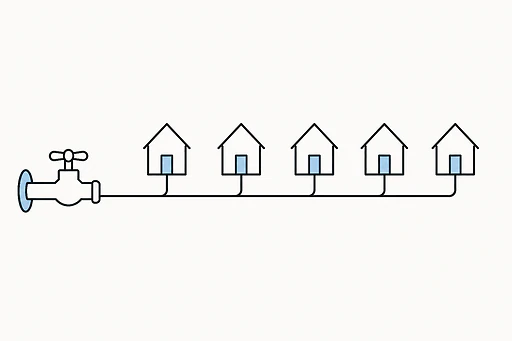
Agency hosting stops being a line item and starts being an operational problem.
Agency hosting changes character once an agency crosses roughly ten client sites: the question is no longer which host is fastest. Good hosting for agencies at that point is measured differently. It is whether you can see the state of every site from one login, whether a bad afternoon on one client's install stays contained, and whether the cost per site holds steady as you add the eleventh, the twentieth, the fortieth. At that scale there is no single right answer. Classic reseller hosting, agency-tier managed WordPress hosting, and an all-in-one managed platform like Devani Hosting each solve a different version of this, and picking wrong costs you real hours every week for years. What follows is what the roster actually needs, then where each option genuinely fits.
What a growing roster needs from hosting, before you compare a single provider.
The first thing that breaks at scale is not performance, it is your own attention. These are the six things that decide whether you manage your hosting or your hosting manages you.
One dashboard, not ten logins
Ten sites on ten accounts means ten control panels, some cPanel, some proprietary, occasionally something a previous developer set up on a VPS nobody has touched since, and ten places a renewal notice or a disk warning can quietly get missed. I have inherited agency accounts where nobody could produce a full list of which client was hosted where. A centralized multi-site dashboard, the kind Cloudways, Pantheon, and Kinsta's MyKinsta all built for exactly this, gives you one list of every site with its status, storage, and update state at a glance.
Cost that moves in known steps
A lot of budget shared hosting and even some VPS setups price cleanly for one or two sites, then get punishing once you are adding storage, bandwidth, or a tenth account, with overage charges that surface weeks after the traffic spike that caused them. Hosts built around agency rosters price differently: a flat tier bundling a set number of sites, a shared pool across all of them, and a clear next tier when you outgrow it. The pattern to look for is a bill that moves in known steps as you add clients, not one that surprises you because one client had a busy week.
Staging on every site
At single-site scale, testing a plugin update directly on the live site is a bad habit you mostly get away with. At ten-plus sites it is a liability, because sooner or later a routine update breaks something in production, on a client's site, during business hours, and you find out from an angry email instead of a test run. Every agency host I would actually recommend includes a staging copy of each site as standard. If staging is a paid add-on rather than a baseline feature, treat that as a real mark against it.
Per-site backups and one-click rollback
The failure mode that costs an agency money is different from the one a single-site owner worries about. When one client site out of forty gets a bad migration or a content-corrupting plugin conflict, you need to undo that one site immediately, not file a ticket and wait for a tape restore. That means automated daily backups with a real retention window, a week or two minimum, and a one-click restore a project manager can trigger without touching a terminal. "We do backups" too often means a single nightly snapshot that already overwrote the good version by the time anyone noticed.
Clean billing and a clean handoff
Two questions hide under "billing." First, can you bill clients cleanly, marked up or bundled into a retainer, without your host's name showing on their invoice. White-label tools (WHMCS-style automation is the common backbone) let you set your own prices and send branded invoices; SiteGround's agency tiers, for instance, hide all host branding from the client's own control panel. Second, and glossed over in sales copy: what happens when a relationship ends. Ask specifically how account separation works when a client leaves, before you commit a roster to any setup.
Isolation so one bad site can't sink the rest
Every additional site is another core, theme, and plugin stack to patch, and another entry point. The security question at agency scale is not "is this host secure," it is whether one compromised site can spread to the others on the same account. Reputable reseller and managed hosts isolate accounts for exactly this reason. But isolation does not patch your plugins. A plugin that is fine on client A's site can be the exact hole that gets client B's site defaced, because nobody was tracking which sites still ran the old version.
Every hour spent patching a plugin across the roster or answering a "why is my site down" email is an hour not spent on billable client work.
Maintenance labor is what quietly eats agency margin.
This is the line that gets talked about least on hosting comparison pages and matters most. The pattern is consistent: as the roster grows past a dozen or so sites, a meaningful fraction of a team's week goes to hosting-adjacent maintenance that clients never see and never pay for directly, because it is baked into a retainer priced assuming less of it. That labor does not show up as a line item. It shows up as margin getting thinner every quarter the roster and the maintenance work grow together.
So any hosting decision at this scale is really a decision about how much of that labor you are choosing to keep doing by hand. A centralized dashboard reduces the finding-the-problem half. It does nothing about the patching half, because that work lives in the CMS layer, not the hosting layer. Keep that split in mind through the three options below: some of them organize the work, one of them removes a chunk of it.
Reseller, managed WordPress, or an all-in-one platform, each wins a different roster.
Reseller hosting (WHM / cPanel)
Cheap, flexible, and you run your own show on shared infrastructure.
- ✓ Full control over pricing and packaging, white-label options like private nameservers and custom branding, and clients who already know cPanel, which cuts down basic support questions
- ✓ Genuinely the right fit for an existing mix of CMSes that has to keep running as-is, when you are comfortable being the one doing the server-adjacent work
- × No root access on a typical plan, you become the support desk for anything WHM does not hand you cleanly, and it does nothing about the per-site plugin patching
WP Engine, Kinsta, Flywheel
The honest right answer for an existing WordPress roster staying WordPress.
- ✓ Real agency tooling: Kinsta's Agency Partner Program with MyKinsta site labeling, Flywheel's client billing transfer and site blueprints, WP Engine's client-management layer on hosting proven at scale
- ✓ Staging, automated backups, a CDN, and support staffed by people who actually know WordPress, a genuine step up from a generic ticket queue
- × The managed layer sits on top of the exact patching burden and plugin-conflict risk, because that risk lives in the CMS layer their tooling does not remove
Devani Hosting
The CMS and the host are one system, so the dashboard is the platform.
- ✓ Every client site in one dashboard, one login instead of one per client, with no separate plugin ecosystem to patch site by site, so most of the maintenance labor above simply does not exist to do
- ✓ A free tier, live on a free subdomain in under a minute, plus a native multi-site AI hub connecting your own ChatGPT or Claude account per site, reaching content and layout, so routine edits do not pull a developer off billable work
- × Hosts sites built on Devani, not an existing WordPress roster you point DNS at, so it fits agencies building or rebuilding client work on Devani going forward
The honest limit on the Devani side matters more than any feature on that list, so it is worth stating twice. Devani Hosting hosts sites built on Devani. It is not a place to take an existing roster of WordPress client sites and point their DNS at a new server. If your roster is forty existing WordPress installs that have to move this quarter, WP Engine, Kinsta, or Flywheel are the right category and are genuinely good at it. If you are open to building new client work on a platform where hosting and CMS are one thing instead of two you keep aligned, the free tier is a low-risk way to trial one real client site before committing anything.
Reseller hosting earns a narrower but real place. Where it is cheap, it is cheap for a legitimate reason: you are renting a slice of shared infrastructure and running your own show on top. What it is not is the cheapest way to host new, simple builds, because once your own unpaid hours are on the ledger, a managed platform with a free tier and flat per-site pricing undercuts it there. Reseller wins when the roster is an existing mixed-CMS set that must keep running as-is and you want that server-adjacent control. If the real question is which hosting model, reseller, white label, or managed, fits how your agency actually runs, settle that first, regardless of which platform you land on. The agency and white-label tooling and how billing clients for hosting actually works are each worth their own look once the model is chosen.
Where the recurring work lands, by category.
| Category | Roster dashboard | Per-site plugin patching | Pricing shape |
|---|---|---|---|
| Reseller (WHM / cPanel) | WHM organizes accounts, not their contents | Yours to do, on every install | Cheap, flexible, you set client pricing |
| Managed WordPress (WP Engine / Kinsta / Flywheel) | One dashboard with site labeling | Still yours, the risk lives in the CMS | Site-count tiers, low hundreds a month at agency scale |
| Devani Hosting | One login for the whole roster | No separate plugin stack to patch | Free tier, paid plans scale by sites and storage |
The middle column is the one that decides how your week goes. The first two categories organize the work in different ways and both still leave the patching to you, because it lives in the CMS. The third removes a chunk of it by not carrying a plugin stack, at the cost of the honest limit above.
Questions to ask any host before you move a roster onto it.
- How does account separation work when a client leaves? A clean handoff means the client walks away with their domain, their hosting account or a smooth transfer, and full access, no favors required. Ask before you add them, not after they announce they are leaving.
- Is staging standard on every site, or a paid add-on? If a broken update is going to hit a live client site, the safe place to try it first should not be an upsell. Standard-per-site is the bar.
- What is the real backup retention, and who can trigger a restore? A week or two minimum, and a one-click restore a project manager can run without a developer or a support ticket. A single nightly snapshot is not a safety net.
- Are accounts isolated from each other? One compromised client site should be contained, not become a fleet-wide incident. Reputable reseller and managed hosts do this; confirm it rather than assume it.
- How does the bill move as the roster grows? Known steps as you add clients, with a shared pool of storage and bandwidth, beats per-site metering that surprises you weeks after a traffic spike.
What agencies ask before moving a roster.
What is the best hosting for a web design agency?
It depends on what the roster already is. For an existing WordPress roster staying WordPress, agency-tier managed hosting (WP Engine, Kinsta, Flywheel) is the honest right answer, with real multi-site dashboards and support that knows WordPress. For a mixed-CMS roster you want cheap, flexible control over, reseller hosting on WHM and cPanel fits. For new client work you are open to building on one platform, an all-in-one where CMS and host are the same system removes the per-site patching that eats agency margin. There is no single winner; match the option to the roster.
How do agencies manage hosting for many client sites?
The pain that breaks first is dashboard sprawl: one login per client is unmanageable past ten sites. The agencies that handle it well run every site through one centralized dashboard, keep staging and per-site one-click restore standard, and price so the bill moves in known steps as the roster grows. The labor that quietly eats margin is per-site plugin patching, so the biggest structural lever is whether the platform carries a plugin stack that needs patching at all.
Should an agency use reseller hosting or managed hosting?
Reseller hosting (WHM / cPanel) is cheaper and gives you full control over pricing and branding, and it fits an existing mixed-CMS roster when you are comfortable doing the server-adjacent work yourself. Managed WordPress hosting costs more but hands you staging, backups, a CDN, and WordPress-literate support, which matters if you would rather not be the support desk. For hosting new, simple builds specifically, a managed platform with a free tier and flat per-site pricing often undercuts reseller once your own unpaid hours are counted.
Can you move an existing WordPress client roster to Devani Hosting?
Not by pointing DNS at it. Devani Hosting hosts sites built on Devani, not an arbitrary existing WordPress install. It fits agencies open to building or rebuilding client sites on Devani going forward, where the payoff is one dashboard for the whole roster and no plugin stack to patch site by site. An existing WordPress roster that has to move as-is belongs on a managed WordPress host instead. The free tier lets you trial one real client build before deciding.
Build one real client site and see the whole roster from one login.
No pressure to migrate anything today. Devani Hosting has a free tier and a site live in under a minute, so you can see what one dashboard and no plugin stack feel like before you decide anything.