

Leaving WordPress is a project, not a weekend task.
The WordPress moves that go badly almost never fail on the mechanics. Exporting content, pointing the domain, redirecting the old URLs so Google does not drop you: that part is well documented. What breaks is the part guides skip, the part that actually decides whether the move goes well: whether you should leave at all, and which pieces of your current site move cleanly versus which ones you rebuild from scratch. Treat it as a real project with a real budget. If the reason you are leaving is maintenance fatigue specifically, Devani, the managed CMS this blog runs on, is a fair destination to look at, and I will get to why below.
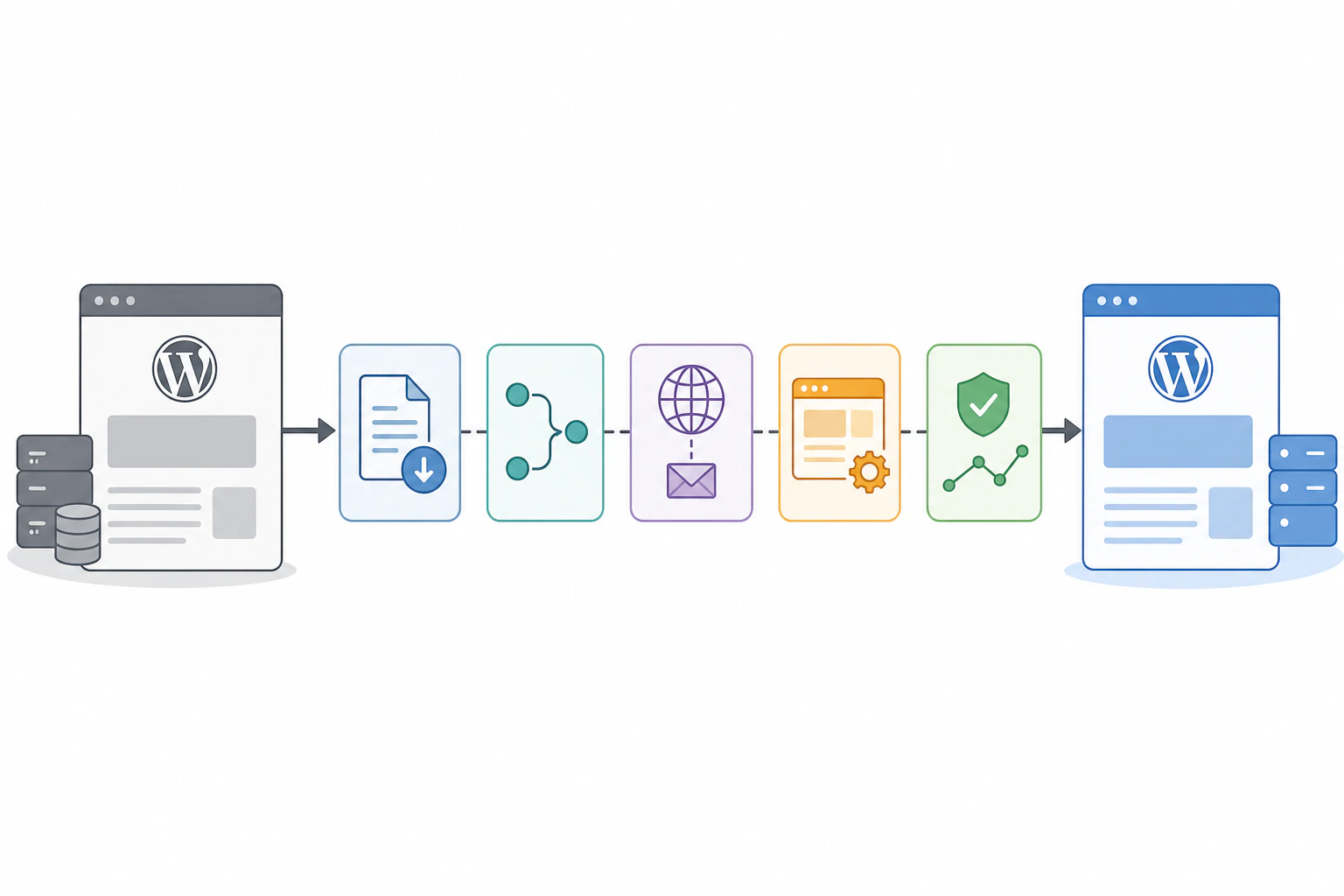
Here is the whole migration as a checklist before any of the detail, in the order the work actually happens. Every one of these steps is where I have watched a move go sideways when someone skipped it.
- Decide whether to leave at all. This is the real first step, and for a meaningful share of sites the honest answer is to stay. Do it before touching anything else.
- Inventory what exports versus what you rebuild. Plain content travels. Everything plugin-dependent does not. Write down which of your features is which before you commit to a launch date.
- Crawl your live site and build a one-to-one redirect map. Every indexed URL either keeps its exact path or gets a permanent 301 to its new home. From an actual crawl, not from memory.
- Put the redirects at the server or host level, never in a WordPress plugin. A plugin redirect only runs while WordPress is running, and you are leaving WordPress. Use a 301, never a 302.
- Build the full DNS and email zone before you flip anything. Lower the TTL a few days ahead, and copy the MX, SPF, DKIM, and DMARC records exactly, not approximately, so a site move does not take your email down with it.
- Stage and test the new site, then cut over with the old host still alive. Keep the old hosting and DNS zone running a few more days as a safety net rather than tearing it down the moment the new site loads.
- Resubmit the sitemap and watch Search Console for months. Recrawl the new domain, compare it line by line against your original URL list, and fix any 404 immediately. Some early wobble is normal, a sustained drop is a gap in the map.
Should you actually leave at all.
Three situations come up constantly where the right call is to stay, and leaving a working setup to solve a problem you do not currently have is how migrations turn into regret.
A load-bearing plugin
A booking system tuned to a niche industry, a membership structure with drip content and custom permissions, a shipping calculator built around one company's rules. If no close equivalent exists on the platform you want, moving means rebuilding the one feature the business runs on, and sometimes the cost of that is higher than the pain of staying.
A setup already maintained well
If an agency or developer has it on a retainer, updates happen on schedule, and nobody is fielding surprise outages, the maintenance loop that drives most people to search this simply is not your problem right now. Leaving to fix a pain you do not have is a bad trade.
A large content-heavy site
Hundreds of pages deep, years of internal linking and category structure, where reconstructing the information architecture cleanly is itself a multi-week project with real risk to rankings. Sometimes the honest math says spend that budget on hosting and a maintenance contract instead.
If none of those apply and you are leaving because of maintenance fatigue, security incidents you are tired of cleaning up, or performance you cannot tune your way out of on the hosting you can afford, that is a legitimate reason to go. Just go in knowing what you are actually signing up for.
For a meaningful share of sites, the honest answer to "should I leave WordPress" is no.
What travels cleanly, and what you rebuild by hand.
This is where expectations and reality diverge the most. Plain content moves reasonably well. Almost everything built on top of it is plugin-dependent, and plugin-dependent means it does not come with you.
Content and media
Exports and re-imports without much drama.
- ✓ Posts, pages, categories, and tags come out as a standard XML file (WordPress calls it WXR) most destinations can import.
- ✓ The media library downloads separately and generally re-uploads cleanly.
- × Formatting quirks and any shortcodes baked into post content still need a cleanup pass on the other side.
Everything plugin-dependent
Recreated feature by feature, not exported.
- × WooCommerce products, variants, order history, and subscription billing live in WooCommerce's own tables with no clean export path off WordPress.
- × Membership gating, booking calendars, and Advanced Custom Fields definitions all live in the plugin, not in a portable format.
- × Custom post types, form builders and their submission history, and any publish-time automation get rebuilt by hand.
Budget real time for this specifically, because it is the single most underestimated line item in a WordPress migration. A site that looks simple from the outside, ten pages and a blog, can hide two or three plugin-dependent features that took a developer a day each to configure the first time. Skip recreating them and the site launches missing the thing a customer actually uses.
Keeping your Google rankings comes down to one job, and the redirect map is the whole of it. Every URL a search engine has indexed needs to either stay exactly the same on the new platform or get a permanent 301 redirect to wherever its content now lives. Nothing in between, and nothing skipped. Crawl your own site first, because there are always more URLs than you think once you count paginated archives, tag pages, and old posts nobody has linked to in years.
Where the new platform lets you keep the exact path, keep it, that needs no redirect at all. Where the structure has to change, and it usually does at least partially, every change gets a 301, never a 302. A 301 tells Google the move is permanent and passes along the ranking signal the old page built up. A 302 says temporary, so Google keeps the old URL indexed and transfers nothing, exactly backwards from what you want. Do this at the server or host level, not through a WordPress redirect plugin, since that plugin only runs while WordPress does. After launch, resubmit the sitemap in Search Console, recrawl the new domain, and compare it line by line against your original list. Any 404 is a gap, and it needs fixing now, not next quarter.
DNS and email, the migration nobody remembers.
The website is not the only thing living on your domain. Your DNS records also point at your email, and if you are not paying attention, a site migration takes your mail down with it. This is really two separate cutovers wearing one trenchcoat.
Lower the TTL first
A few days before cutover, drop the TTL on your website records and, separately, your MX records. A shorter TTL means a change propagates in minutes instead of a day or two, which matters a lot if you need to undo something quickly.
Build the whole zone, not just the A record
Before you touch the nameservers, build the new zone in full and check it against the old one: the A or CNAME for the site, and the MX, SPF, DKIM, and DMARC for email. Copy them exactly, not approximately. Leaving a host like WP Engine has a few extra wrinkles beyond the general cutover, worth reading separately if that is the actual move. One wrong SPF value and mail starts bouncing days later when nobody is watching.
Keep the old server accepting mail
Stage and test the new site on a temporary subdomain first. When you flip the records, keep the old hosting and DNS zone alive a few more days as a safety net. If mail is also moving, plan on the old server still accepting messages for 48 to 72 hours, since propagation is not instant everywhere even with a short TTL.
The realistic budget, and why it is not a weekend.
This is the part that gets sold short constantly, usually by whoever is trying to get you to commit to a plan. Any guide promising a weekend is describing the best possible case, not the typical one.
| Site type | Realistic working time |
|---|---|
| Content-only, a handful of pages and a blog, no commerce or membership | A few focused days, if the redirect mapping is careful and the content is clean |
| One or two plugin-dependent features, a form with submission history, a booking calendar, a small catalog | One to two weeks, once you count rebuilding, testing, the redirect map, and the cutover |
| Real WooCommerce store, a membership tier system, or hundreds of indexed pages | A month or more of part-time work, closer to a rebuild than a migration |
None of that includes the waiting built into DNS propagation and the post-launch monitoring window, which adds calendar time without adding much active work. Plan the launch date around that reality rather than around when you would like to be done.
The destinations, and what each one is for.
There is no single correct answer, and anyone telling you there is skipped the part where they ask what you actually need. These solve different problems; pick on your real pain point, not on which name you have heard the most.
Squarespace or Wix
A deep template catalog and a familiar builder.
- ✓ A deep, professionally designed template catalog and a mainstream builder plenty of people already know their way around.
- × The hands-off basics, pages, a blog, basic commerce and booking, are table stakes Devani covers too, so do not pick a builder for that reason alone.
Webflow
Real design control for a visual team.
- ✓ Hand-coded-level control if design specifically is what you are chasing.
- × A genuine learning curve; you or someone on the team has to be comfortable thinking in real CSS concepts.
Static plus headless CMS
The technical ceiling for speed and security.
- ✓ Full control of the stack and a small attack surface, both real, though not exclusive to it.
- × Only the right call for a technical team that wants to own and maintain a build pipeline.
Devani
Built for the maintenance-fatigue case.
- ✓ Fully managed with a genuinely free plan, then simple flat plans; hosting, SSL, and backups all handled, nothing to run.
- ✓ No plugin stack to patch on a forced schedule; automatic snapshots and one-click rollback; edit live via your own ChatGPT or Claude account.
- × Younger, much smaller ecosystem, no plugin marketplace, fewer templates than the older names.
Migration reality is the fair place to start with Devani, because it is the part every destination in this guide either sidesteps or oversells. There is no one-click importer here that absorbs a decade of WordPress plugins and content types, because no honest platform's importer actually does that. The real path is the same export covered above, your WXR file and media library, handed to Claude or ChatGPT connected to Devani and asked to recreate the pages, posts, and metadata by hand rather than dragged in and expected to just work. That is slower than a magic-button promise. It is also the truthful version of what any of these migrations actually requires. For the fuller side-by-side once you are weighing it seriously, the direct Devani vs WordPress comparison lays out the tradeoffs plainly.
Where it earns a second look is the part that likely brought you here: the update cycle after launch. Because there is no plugin stack in the first place, there is nothing to patch on a forced schedule; updates are handled for you, and every change snapshots itself so a bad one is a rollback, not a crisis. More directly on the fatigue that probably drove the search, instead of hunting a plugin setting or waiting on someone's hourly rate for a small content change, you connect your own ChatGPT or Claude account and ask it to make the edit, on the real live content and layout, the same way you would ask a person.
The honest limit stands here the same as everywhere else in this guide. Devani is younger, with a much smaller ecosystem than WordPress or the hosted builders named above, no plugin marketplace to reach for, fewer templates to start from, less of a decade-deep well of tutorials and freelancers to hire. If your site is one this guide already flagged as a bad candidate to leave at all, a heavy WooCommerce catalog, a complex membership structure, a booking system tied to one niche plugin, changing the destination does not change that math. Devani is not there yet for that case, and saying otherwise would undercut everything this guide has tried to do honestly.
Will I lose my Google rankings if I leave WordPress?
Not if the redirect map is complete and correct. Every indexed URL either keeps its exact path or gets a permanent 301 to its new location, done at the server or host level rather than a WordPress plugin. The ranking loss people notice three months later almost always traces to a URL that returned a 404 or a 302 instead of a clean 301. Some wobble in the first few weeks is normal even with a perfect map; a sustained drop means something in the map was wrong.
How long does it take to migrate off WordPress?
It depends entirely on what is on the site. A clean content-only site can move in a few focused days. Add a plugin-dependent feature or two and it is realistically one to two weeks of working time once you count rebuilding, testing, the redirect map, and the DNS and email cutover. A real WooCommerce store, a membership system, or hundreds of indexed pages is closer to a rebuild and can run a month or more. None of that counts the DNS propagation and post-launch monitoring window, which adds calendar time without much active work.
Can I take my content out of WordPress?
The plain content, yes. WordPress's export tool produces a standard XML file (WXR) with your posts, pages, categories, and tags, and the media library downloads separately and re-uploads cleanly. What does not come out is anything plugin-dependent: WooCommerce catalogs and orders, membership gating, booking calendars, custom fields, form submission history. That gets rebuilt feature by feature on the new platform, and it is the part every migration underestimates.
Is it hard to leave WordPress?
The mechanics are well documented and rarely where things break. The hard parts are the decisions and the tedium: honestly assessing whether you should leave at all, working out which features rebuild from scratch, and building a redirect map and DNS zone that are complete rather than roughly right. Treat it as a real project with a real budget, days to weeks for most sites, and it goes fine. Treat it as a weekend task and it does not.
Leaving is doable. Go in knowing the real budget.
If the reason you are leaving is specifically the maintenance loop, the updates, the plugin hunting, the security patching that never ends, Devani is built around solving that by default rather than asking you to configure your way out of it. Worth looking at a real site running on it before you commit to a destination.