

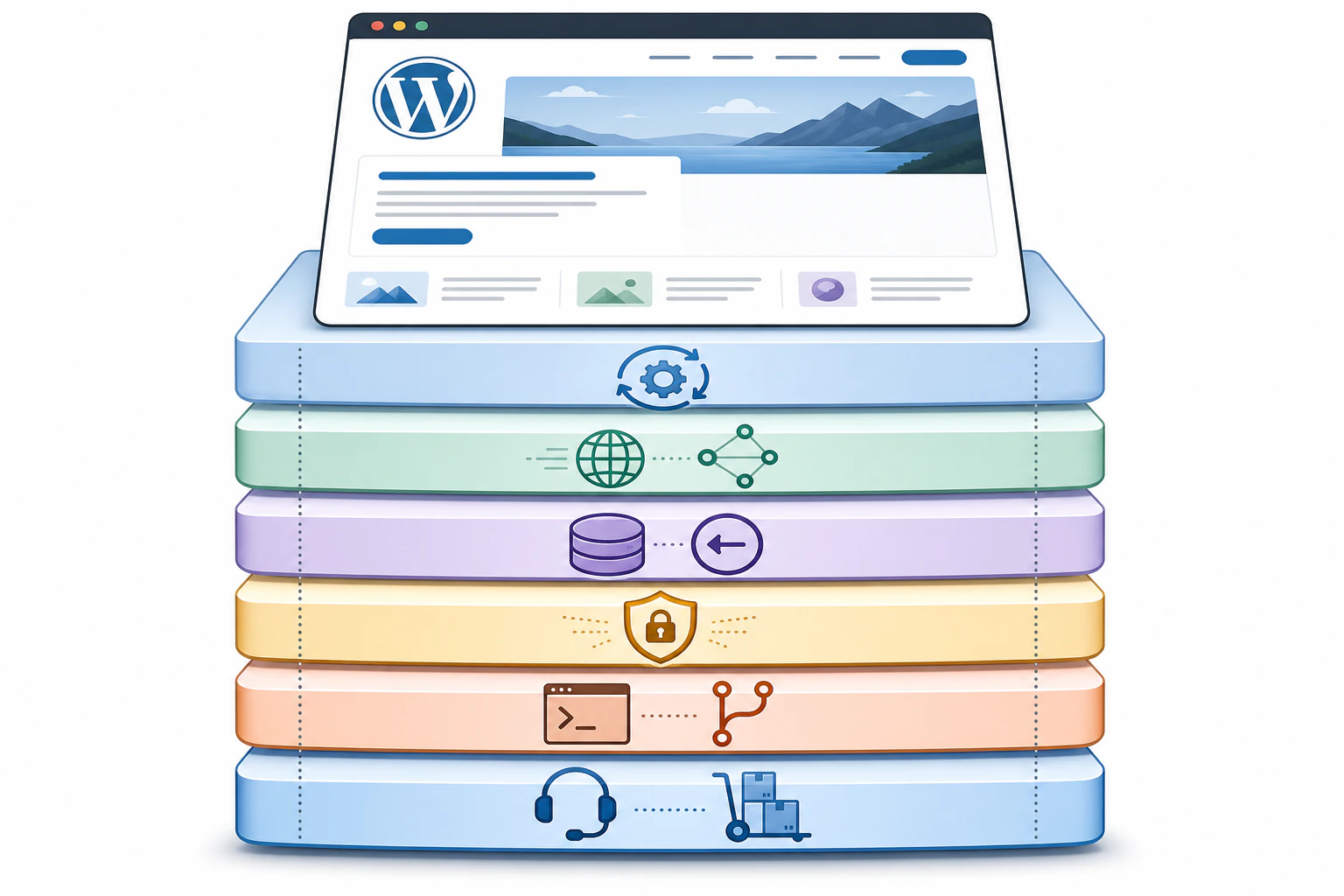
Managed WordPress hosting, and the machinery it keeps running.
Open the dashboard of a managed WordPress host and the machinery is right there: a plugins tab wearing a number badge with six updates queued and two flagged compatibility unknown, a backup list stretching back thirty nightly restore points, a firewall event log, a caching panel with four toggles nobody remembers setting. That control room is the product. Managed WordPress hosting is a plan where the provider runs the technical side of a WordPress site for you: a server tuned for WordPress, automatic core and plugin updates, daily backups, a CDN and server-level caching for speed, malware scanning and a firewall for security, and support staff who actually know WordPress. You pay more than plain shared hosting to make the upkeep someone else's job. Devani Hosting, which runs this site, sits in the same managed category with one structural difference worth getting to: there's no plugin stack under the hood to keep patched in the first place.
What a managed plan actually handles for you.
The category exists because a live WordPress site is a stack of independently updated parts, and something has to keep them from drifting out of sync. Here's what the good hosts cover.
Automatic updates
WordPress core, themes, and plugins get patched on a schedule, usually tested against a copy of your site first so a bad release doesn't take the front page down. On shared hosting that queue is yours to babysit, and skipping it is the single most common way a site gets compromised.
Caching and a CDN
Server-level caching (often Redis or LiteSpeed) plus a content delivery network that serves your pages from a location near each visitor. This is where the marketing "up to fifty percent faster than shared hosting" lines come from, and on a heavy WordPress build it genuinely helps.
Daily backups and rollback
Automated nightly restore points, often thirty days deep, with one-click restore. When an update or an edit breaks something, you roll back instead of paying someone to reconstruct the site. This is the feature owners appreciate the day they finally need it.
Proactive security
A WordPress-aware firewall (WAF), malware scanning, DDoS mitigation, and brute-force login protection running continuously rather than after a break-in. Managed hosts also tend to restrict a list of plugins known to cause trouble, which is a real safety gain and a real limit at the same time.
Staging and developer tools
A one-click staging copy to test changes before they go live, plus WP-CLI, SSH, and Git access on the better plans. This is the part that separates a real managed WordPress host from a shared plan with the word "WordPress" stamped on it.
Expert support and migration
Support staff who understand themes, plugins, and the conflicts between them, usually 24/7, plus a free expert migration of your existing site onto their servers. On a generic shared host you get help with the server and you're on your own for WordPress itself.
The line between the two is who owns the upkeep.
The question most people are really asking is whether managed hosting is worth the jump from a $3-a-month shared plan. Shared hosting puts many sites on one server with a general control panel, and the technical work (updates, backups, security hardening, caching, SSL setup) lands on you. It's the cheapest way to put WordPress online and it's fine for a hobby site or a test build. Managed WordPress hosting is a specialized environment where all of that is automated and handled, tuned specifically for WordPress, with support that speaks the software. You're not paying for disk space, you're paying to not be the sysadmin.
Entry managed plans run roughly $20 to $50 a month for one to a few sites, against $2 to $5 for shared, and higher-traffic or multi-site plans climb into the low hundreds. The value shows up the moment the site earns money or represents the business: the maintenance, the security posture, and the recovery-from-a-bad-day are worth more than the price gap. For a weekend project, they usually aren't.
Every feature on a managed WordPress plan is upkeep on a stack of independently updated parts. Fewer parts is the other way to get to the same calm dashboard.
What the plan page tends to gloss over.
None of these make managed hosting a bad deal. They're the fine print worth reading before you commit, because they're the parts that surprise people a year in.
- It's a monthly cost that scales with traffic. Most managed plans meter visits or bandwidth, and going over triggers an overage charge or a forced upgrade. A post that does well can quietly turn a $30 plan into a bigger bill, so read where the ceiling sits before you pick a tier.
- Plugin allowlists cut both ways. Banning known-problematic plugins makes the platform safer, and it's genuinely annoying the day the plugin you already paid for is on the list with no good alternative. Check the restricted list against what your build actually needs.
- Managed is not the same as eliminated. The host patches and scans the stack, but it's still a stack: you still choose plugins, still resolve the occasional conflict between them, and your speed still rises and falls with how heavy the theme and plugin load is. Managed hosting maintains the machine well; it doesn't remove it.
- Less server-level control. To keep things stable, managed hosts lock down parts of the server. For most site owners that's a feature. For a developer who wants to tune the environment themselves, it can feel like a cage.
Managed hosting for a site with nothing to patch.
If you're choosing where to put a new site rather than moving an existing WordPress install, there's a second way to get the hands-off result, and it changes what "managed" even has to cover.
Devani Hosting runs Devani, a free, open-source, database-free CMS. Because the whole site is plain static files rather than a database plus a theme plus a dozen plugins, most of what a managed WordPress plan works to keep in line simply isn't there. There's no plugin update queue, because there are no plugins. There's no caching layer to tune, because static files are already fast. The security surface that WAFs and malware scanners exist to defend is mostly a WordPress surface, and it shrinks hard when the site isn't running that stack. You still get the managed-hosting comforts (automatic SSL, a global media CDN, custom domains, automatic backups with one-click rollback, updates kept current), just without the moving parts underneath them.
Managed WordPress host
WP Engine, Kinsta, Flywheel, SiteGround and the rest.
- ✓ Runs your existing WordPress install with the full plugin ecosystem available
- ✓ Updates, caching, backups, WAF, and 24/7 WordPress-literate support handled
- × Roughly $20 to $50 a month to start, with overage bills when traffic spikes
- × Speed still tracks your theme and plugin load, so it's a range, not a guarantee
Devani Hosting
Managed hosting for a database-free CMS.
- ✓ No plugin stack to update, scan, or untangle, so most of what managed WordPress hosting babysits doesn't exist
- ✓ About 100 out of 100 on Lighthouse out of the box, because static files served from a CDN don't have a database to query
- ✓ Free subdomain live in under a minute; a full site built with AI in 10 to 15 minutes; free tier, with paid plans for custom domains, managed SSL, more sites, and white-label tooling
- × Hosts Devani-built sites, not an existing WordPress install you point DNS at
That last line is the honest boundary, and it decides the whole thing. If you've got a WordPress site with a load-bearing plugin, a deep WooCommerce store, or years of build you want lifted and shifted intact, a managed WordPress host is the right answer and Devani Hosting isn't in the running. You need the thing that runs WordPress. But if the goal is a fast marketing site, a business site, or a blog and you haven't committed to a stack yet, the calm dashboard is available without ever assembling the machine that needs managing.
The AI piece is where the difference is easiest to feel. Devani is MCP-native: you connect your own ChatGPT or Claude account and the assistant edits live content and layout from inside the visual builder, with every change snapshotted and reversible. WordPress is catching up here, and it's worth being precise about how far. WordPress.com shipped an MCP integration and the Vibe AI plugin arrived by mid-2026, so connecting an assistant to WordPress is no longer exotic. Both work well inside the block editor, though; on a Divi or Elementor build the assistant can't reliably produce the builder's shortcodes, so you get AI-written content plus the standard HTML editor rather than a builder. Devani's pages are plain HTML the assistant writes easily, landing straight in the visual editor. Inside the builder versus alongside it.
Entry prices, and what each one still asks of you.
Prices below are the starting managed tiers for a single small site, in USD. Read them next to what you'd still be responsible for, because the sticker rarely tells the whole story.
| Host | Entry price (USD) | Notes |
|---|---|---|
| WP Engine | $25 to $30 / mo | Startup plan; $25 billed annually, $30 monthly; caps around 25,000 visits |
| Kinsta | from $35 / mo | Starter plan; one site, 25,000 visits, agency and enterprise tiers above |
| SiteGround | from $2.99 / mo intro | Promotional rate; renews meaningfully higher, read the renewal price |
| WordPress.com | from about $12.50 / mo | Managed by Automattic; plugin installs unlock on the higher business tiers |
| Devani Hosting | Free tier, paid for custom domains | Free subdomain live in under a minute; paid plans add custom domains, managed SSL, more sites, and white-label |
The pattern is worth naming: the cheap intro rates renew higher, the visit caps turn into overage math, and the true monthly cost of a real managed WordPress site usually settles above the headline. For the full tier-by-tier breakdown with the overage and renewal traps spelled out, what managed hosting actually costs goes deeper than a plan page will.
What is managed WordPress hosting?
It's a hosting plan where the provider runs the technical side of a WordPress site for you: a server tuned for WordPress, automatic core and plugin updates, daily backups, server-level caching and a CDN for speed, security scanning and a firewall, and support staff who know WordPress specifically. You pay a premium over plain shared hosting to make ongoing maintenance someone else's job rather than yours.
How much does managed WordPress hosting cost?
Entry plans for one to a few sites run roughly $20 to $50 a month, against $2 to $5 for shared hosting. Higher-traffic and multi-site plans climb into the low hundreds. Watch two things beyond the sticker: promotional first-year rates that renew higher, and visit or bandwidth caps that trigger overage charges when a page does well.
Is managed WordPress hosting worth it?
It's worth it when the site plays an active role in your business, revenue, or brand, because the security posture, the automated recovery, and the hours you don't spend on maintenance outweigh the price gap. For a hobby site, a short-term test, or a project you actively enjoy tinkering with yourself, plain shared hosting is usually enough.
What's the difference between managed and shared WordPress hosting?
Shared hosting rents you space on a server and leaves the WordPress upkeep (updates, backups, security, caching, SSL) to you. Managed hosting automates and handles all of that on infrastructure tuned for WordPress, with WordPress-literate support. Shared is cheaper and hands-on; managed is pricier and hands-off. For a fuller inventory of the hands-off side, see what managed hosting includes.
Do I still have to update plugins on managed WordPress hosting?
Mostly no; the host applies core, theme, and plugin updates for you, often testing them against a staging copy first. What you still own is which plugins go on in the first place and the occasional conflict between them. Managed hosting maintains the stack well; it doesn't remove the stack. A CMS with no plugins, like the one this site runs on, has nothing in that queue to begin with.
Can I install any plugin I want?
Not always. Most managed WordPress hosts keep an allowlist and block plugins known to cause performance or security problems (caching or backup plugins that duplicate what the host already does, for example). It's a genuine safety gain, and it's a genuine limit if the plugin you rely on is on the banned list. Check the restricted list against your build before you sign up.
The hands-off part without the stack underneath.
If you're picking where to put a new site rather than moving an existing WordPress install, it's worth seeing what managed hosting feels like when there's nothing to patch. Spin one up on the free tier and time how long it takes to go live.