
The WordPress security issues you inherit.
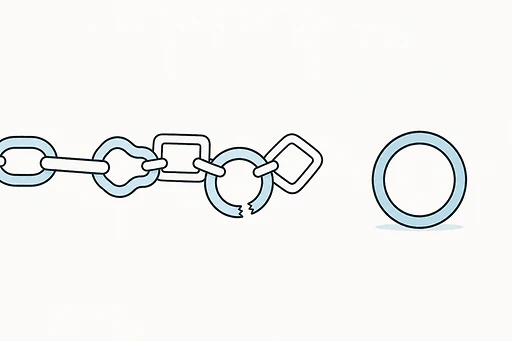
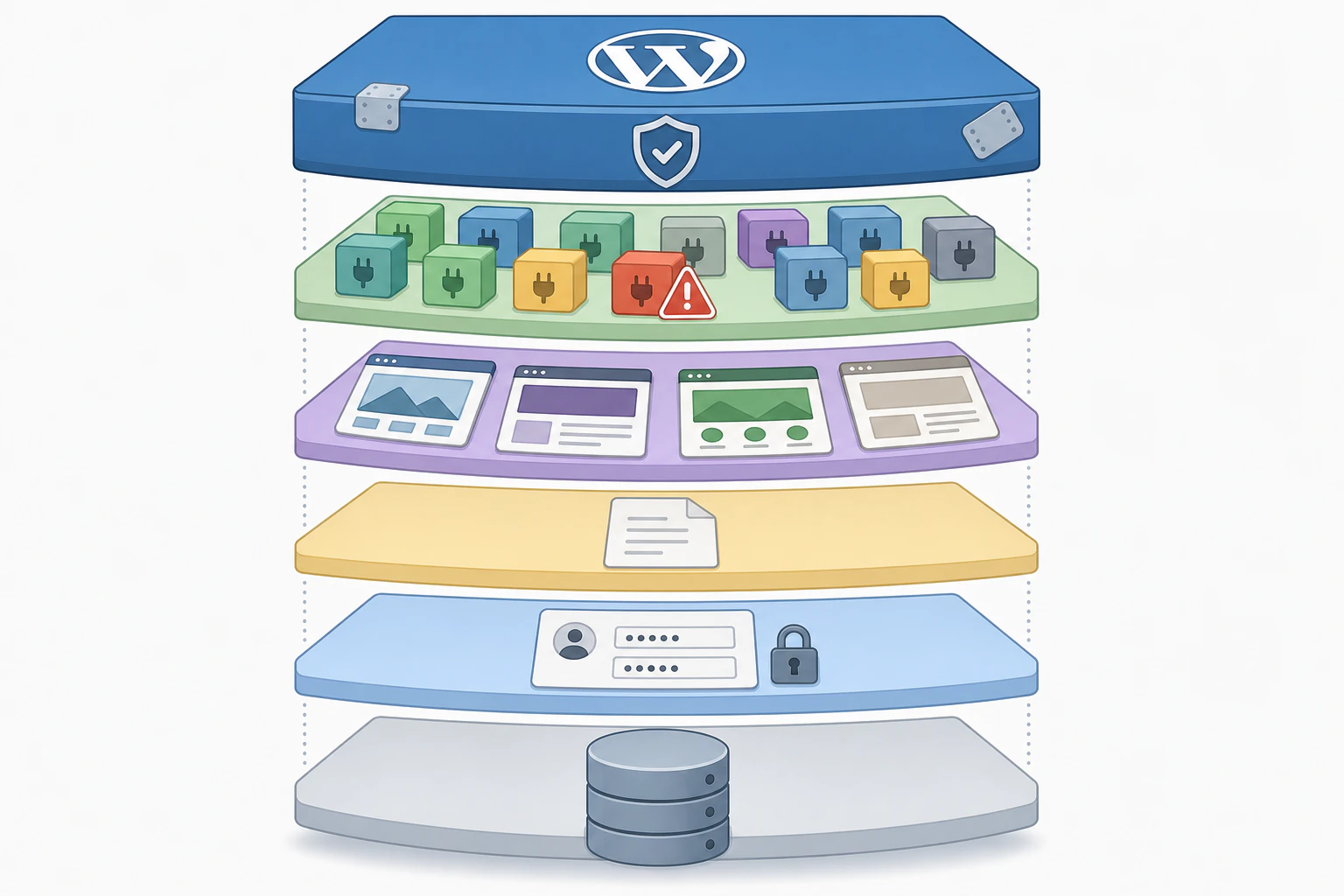
Most WordPress security problems have almost nothing to do with WordPress itself. Core gets audited constantly and patched fast. The real risk sits one layer up, in the plugins, themes, and login credentials a site accumulates over the years, and in the fact that almost nobody keeps that layer as current as the core underneath it. So when you take on a WordPress site, or keep running one, the honest picture is that you are inheriting a stack of other people's code and old passwords, and most compromises come from there. Managed hosting closes part of the gap. A platform with no plugin layer at all, like Devani, removes most of the surface before you have to defend it.
WordPress hacks tend to fall along a familiar range, from a defaced homepage that is obvious within an hour to a quiet malware injection that sits unnoticed for months, spamming search engines with content the owner never saw. The pattern is consistent enough that you can usually guess the cause before opening the file system: an old plugin nobody updated, or a login the owner has been using since the site launched.
- Third-party plugins. The overwhelming majority of newly discovered WordPress vulnerabilities each year are in plugins, and plugins are implicated in more than half of all WordPress hacks industry-wide. Every one has the same level of access to your site that core does, once installed.
- Themes. A smaller but real share of vulnerabilities live in themes, especially bundled ones and the extra features some ship with, which age the same way plugins do.
- Already-patched holes left unpatched. A large share of incidents involve a vulnerability the developer had already fixed. The update was sitting in the dashboard. Nobody applied it before an attacker scanning for that exact known weakness found the site.
- Weak and reused credentials. A huge share of breaches across the web, WordPress included, trace back to compromised, weak, or reused passwords rather than to any technical flaw. An admin login reused on another service is a wide-open door that has nothing to do with code quality.
- Abandoned dependencies. A plugin last updated two years ago, whose developer moved on or sold it, keeps running without complaint. It is the least-defended door into an otherwise reasonably maintained site.
- Exposed configuration. wp-config.php holds the database credentials and secret keys. Left improperly protected at the server level, it hands over far more than a single compromised plugin would.
Notice what is and is not on that list. WordPress core barely appears, and when core findings do turn up they tend to be lower-severity, because core is maintained by one well-resourced, security-focused team. The plugin ecosystem is tens of thousands of separate pieces of software written by separate developers with wildly different levels of security discipline. That is not a knock on how useful plugins are. It is a simple consequence of scale. The vulnerability types that show up most often are not exotic either: cross-site scripting, where injected script runs in a visitor's browser; SQL injection, where crafted input manipulates the database directly; and cross-site request forgery, which tricks a logged-in admin's browser into an action they never intended. All three are well-documented categories that an experienced plugin developer knows to guard against and an inexperienced one often does not.
Every unpatched plugin on a site is a known, published, searchable weakness, because the disclosure that lets you fix it tells an attacker exactly where to look.
Usually the fix already existed. It just was not applied.
Vulnerability disclosures are public by design, so legitimate owners can patch quickly. The same disclosure also tells anyone scanning where the hole is on every site that has not patched yet. So a big share of real-world compromises are not a security failure in the way people picture one. They are a maintenance failure with a security-shaped outcome. An update queue that sits untouched for months is not a performance nuisance, it is the actual attack surface.
This is the direct throughline from routine WordPress maintenance to WordPress security. The two are the same job seen from two angles. Keeping every plugin, theme, and core file patched on a real schedule is the single highest-leverage thing you can do, because it closes the gap between a fix existing and the fix being applied, which is where most of the damage happens.
The other thing worth understanding is how compromises actually surface, because the obvious ones are the easier case. A defaced homepage or a ransom note announces itself. The quieter, more common compromise leaves the site looking normal while doing damage in the background. Watch for an admin account nobody created. A spike in outbound traffic to unfamiliar domains. New pages in Google's index that nobody wrote, usually stuffed with spam keywords or redirecting to a pharmacy or counterfeit-goods site, a pattern called SEO spam injection. An unexplained slowdown that was not there last month, sometimes cryptocurrency mining running on the same server the real site is trying to use. And often the first thing an owner learns is a browser warning or an email from the host saying the site was flagged for malware, weeks after the actual compromise.
That lag is expensive. I have seen sites compromised for two or three months before anyone noticed, because the visible parts kept working while search engine trust, a blacklist listing, and spam pages competing with the real content quietly accumulated underneath. A Google Safe Browsing listing can take real, sustained recovery work to undo even after the malware is cleaned, a cost that lands well after the original vulnerability was exploited and rarely shows up in anyone's estimate of what site maintenance actually costs.
Patch on a schedule
Keep plugins, themes, and core current on a real cadence. This alone closes the gap between a fix existing and a fix being applied.
Strong logins and 2FA
Unique passwords and two-factor on every admin account. It closes the credential path and requires no new code, only discipline.
Fewer admins
Limit how many accounts have admin access and review the list periodically instead of letting it grow forever. Fewer doors exist.
Firewall and scanning
A web application firewall filtering malicious requests, ongoing malware scanning, and login rate limiting are real layers on top of the basics.
Protect wp-config
Keep wp-config.php and other sensitive files locked down at the server level. That one file holds the database credentials and secret keys.
Tested backups
Not a hardening measure but the recovery one. Restorable backups turn a hack from a catastrophe into an afternoon of cleanup. Confirm they restore.
None of this means hardening is pointless. It means the hardening that matters is specific rather than decorative. It also means one thing worth saying plainly, because overselling the alternative would undercut everything honest above: no platform is unhackable. A weak admin password, a misconfigured server, or a vulnerability nobody has found yet can compromise any system. The goal is not immunity, which does not exist anywhere. It is reducing how many doors exist and shortening how long a problem sits undetected if one gets through.
Keep the WordPress site
The right call when you have a load-bearing plugin stack or an existing install to preserve.
- ✓ The ecosystem covers almost any integration you can name
- ✓ Lift-and-shift keeps your current site exactly as it is
- ✗ The plugin layer, credentials, and patch queue are yours to defend, continuously
- ✗ Security is real ongoing work against the platform's own defaults
Devani Hosting
Managed, and there is no third-party plugin layer to secure in the first place.
- ✓ No plugin marketplace, so the largest documented source of compromise is absent by design
- ✓ Platform stays patched on the managed plan, SSL renews itself, backups run with one-click rollback
- ✓ Free subdomain live in under a minute, free tier to start
- ✗ Runs sites built on Devani, not an existing WordPress install you point DNS at
One cause sits behind almost every inherited risk above: most WordPress vulnerabilities live in the plugin layer, and the more plugins a site carries, the more of that surface it holds, patched or not. Devani has no third-party plugin marketplace to begin with. There is no ecosystem of independently maintained codebases, written by developers with wildly different discipline, holding core-level access to the site. That is a smaller attack surface by architecture, not a security product bolted on afterward. On top of that, Devani Hosting keeps the platform patched as part of the managed plan, runs backups on a schedule with one-click rollback (a tested recovery mechanism, not a backup nobody has confirmed restores), and renews SSL on its own, none of which requires choosing or trusting a separate security plugin, because there is no plugin layer to secure.
The honest limit still applies here, the same as everywhere: this hosts sites built on Devani. It does not take an existing WordPress install, plugin stack and all, and secure it in place. If the plan is to keep the current site, the hardening steps above are the working answer, the same ground a full look at what WordPress is actually like to run long-term covers in more depth. Devani is the option for someone open to rebuilding somewhere that plugin-layer risk mostly is not there to manage.
Is WordPress itself insecure?
No. WordPress core is audited constantly and patched quickly, and core findings tend to be lower-severity. The insecurity people attribute to WordPress almost always lives in the plugins, themes, and login credentials layered on top of it, and in those going unpatched.
Why does WordPress get hacked so often?
Two reasons. Scale: it powers a huge share of the web, so it is the most rewarding target to scan for automatically. And structure: the plugin ecosystem is tens of thousands of separate codebases with uneven security discipline, and a large share of real attacks exploit a vulnerability that was already publicly patched but never updated on the site.
Are WordPress plugins a security risk?
They are the biggest one. The majority of newly discovered WordPress vulnerabilities each year are in plugins, and plugins are implicated in more than half of hacks. Each installed plugin runs with the same access as core, so the whole install is only as secure as its least-maintained plugin. Fewer plugins, kept current, is a real reduction in risk.
How do I know if my WordPress site has been hacked?
Look for an admin account nobody created, unexplained outbound traffic, unfamiliar spam pages appearing in Google's index, a sudden slowdown, or a browser or host warning about malware. The dangerous compromises are the quiet ones that leave the site looking normal for weeks while damage accumulates underneath.
Fewer doors to defend, by architecture.
If you would rather not inherit a plugin layer to patch, credentials to police, and an update queue that is quietly your attack surface, Devani Hosting starts on a free tier with a live subdomain in under a minute, and no pressure to move anything before you are ready.